Greetings, Devil Dog! Welcome to the Call of Duty Forums. It looks like you're looking forward to Call of Duty: Modern Warfare 4, but haven't created an account yet. Why not take a minute to
 Processor AMD Athlon Gold 3150U with Radeon Graphics 2.40 GHz 2 cores
Installed RAM 8.00 GB (7.67 GB usable)
System type 64-bit operating system, x64-based processor
Windows 11 Home Build 22621
I'm not sure if you need anything else...if so just ask...
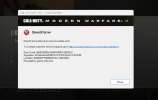
I've tried downloading form both Battlenet and Steam only after completely deleting ALL files from previous versions from file explorer before installing from the other. tried forcing it to use DirectX 11 tried turning down different settings in the display settings. i keep getting the same error basically everytime..Ill post a screen shot with this...
the game opens fine and the menus are great... the very moment I click to enter a match in warzone It gives me the error... I tried the scan and repair with battlenet and verifying game files with steam....
hopefully someone can help! Thanks in advance
Installed RAM 8.00 GB (7.67 GB usable)
System type 64-bit operating system, x64-based processor
Windows 11 Home Build 22621
I'm not sure if you need anything else...if so just ask...
I've tried downloading form both Battlenet and Steam only after completely deleting ALL files from previous versions from file explorer before installing from the other. tried forcing it to use DirectX 11 tried turning down different settings in the display settings. i keep getting the same error basically everytime..Ill post a screen shot with this...
the game opens fine and the menus are great... the very moment I click to enter a match in warzone It gives me the error... I tried the scan and repair with battlenet and verifying game files with steam....
hopefully someone can help! Thanks in advance